Monday, October 9, 2017

HP 1000 9 track tape drive tested, work on two terminals to make them fully usable

HP 1000 SYSTEM RESTORATION

One of the idler pulleys on the 9 track tape drive turned with quite a bit of resistance. I suspected thsi was due to embedded dust, so I removed it. After I cleaned it well, I reassembled the pulley onto the 7970E drive and it worked better. 

I then wrote some machine language to write a two word record onto a new tape, and another set of code to read the record back and verify correct operation of the 9 track drive. My first attempt failed until I noticed I had left the 'write ring' out of the tape. With this missing, a tape drive will refuse any write operations, as did mine.

With the ring in place, I saw the tape move forward away from the load point as I did the write operation. I will need to read it back in and compare the data words to be certain that I did it correctly and that all the control and data channel operations worked properly.

The tape drive controller consists of two cards, a control channel and a data channel. All I/O on the HP minis is accomplished with a simple interface. A control bit can be set or cleared, a flag bit can be checked or cleared, and a word can be transferred to or from register A or B and the IO device. 

The control channel is sent a word that is a command, such as forward space or write record, then the control bit is set to ask it to execute the command. Transferring a word back from the channel to a register gives a status word that reflects various conditions. The flag bit is set when the command is complete. 

I sent a command word to select the tape unit 0, followed by a command word to write a record and set the control bit. The drive begins moving and the other card, the data channel, takes over. Normally the direct memory access controller takes over and handles the movement, but I used the standard method that works for all device types.

The data channel sets the status flag bit when it is ready for a data word to write out to the tape. Thus, one loops waiting for the flag to be set, then outputs a word from a register to the data channel. I did this twice, to transfer my two words of o123456 and o050505 to write on the tape.

To terminate the record being written, I sent a command to the control channel and set the control bit. The tape motion stopped and an interrecord gap was produced on the media. In a more realistic setting, there would be further records written to the tape by repeating the sequence of commands to control and data channels, followed by sending a command to write a tape mark which is an end of file indicator. I only needed one record to accomplish my initial test of the drive.

I manually rewound the tape to load point, in preparation for doing a read and comparing the words I received. My code didn't work properly on the first attempt, but I soon cleared up the error and tried again. The tape begin moving but my program stayed in a loop waiting for the second word to arrive, while the tape continued merrily along. 

Worse, when I halted the program, the first word I tried to read was in the register as o000000 not the value o123456 that I thought I wrote. Not a successful test session for the tape drive, but it does tell me quite a bit is working properly:

  • Read and Write commands work
  • The transport moves tape
  • Write enable/disable works
  • The control channel provides status words
  • The data channel sets flags for data transfer requirements

My 2622 terminal has a keyboard, missing its bottom plastic cover and missing the cable that connects it to the terminal monitor, itself missing a bottom cover. I therefore have a few tasks to accomplish before I can use this terminal - build bottom covers for the monitor and keyboard, plus make a cable. 

To build keyboard cable for terminal I had to determine the type of connectors and the wiring between the two ends. Fortunately I found schematics and could examine both terminal and keyboard. 

The connector type on the terminal for the cable from the keyboard is a normal DA-15 type (misnamed DB-15 by most people), with two rows of 8 and 7 pins. The keyboard has .100 inch header pins in two rows, each of six pins. I ordered a cable from Amazon, to cut up and wire to twin headers for the keyboard end. 

My 2645A terminal contains two mini tape cartridge drives, which used a single track system developed by 3M. It is a narrower tape than DC-2000 or QIC drives, but similar physically. The capstan rubber has decayed. 

I removed both tape drives to begin the refurbishment. It appears that the capstan diameter should be very close to or slightly larger than 9/32". I measured the decayed rubber on a drive then worked through the specs and design of the drive to figure out the capstan size as a cross check.

The drive will move tape in both slow (read/write) and high speeds. High is 60 inch per second movement of the tape. The design of the cartridge has a drive ratio of 0.78, thus the tape moves .78 inches for every 1 inch of drive capstan movement. That required the capstan to rotate to move about 77 inches per second.

The motor has a nominal speed of 5000 rpm wide open with 6V DC drive. The circumference of a 9/32" capstan is about .8836 inches, thus at 5000 RPM ( RPS) it would move about 74 inches. This is why I suspect the capstan needs to be slightly larger than 9/32" but less than 5/16", to achieve the 77 inches of movement per second for high speed motion. 

The internal structure of the cartridge has an elastic belt in a short loop that is driven by the capstan. The elastic belt is wrapped around the two tape reels and moves the mylar tape material. The elastic belts are all decaying, just like the capstan rubber, so that even brand new cartridges found in the box are no longer usable.

This poses a bigger issue for restorers. There are a few ways this can be addressed:

  • Find a new elastic material and rebuild the cartridges
  • Switch to a remanufactured cartridge from Athana
  • Alter the drive to use DC-2000 cartridges which are not similarly afflicted
  • Move to a solid state tape replacement, e.g. SD-card instead of tape

The Athana cartridges fit an unaltered drive mechanism, once the rubber on the capstan is replaced, but the new tape oxide formulation they use requires a slight modification of the read/write electronics to change tape bias. This mod is a single resistor swapout. The downside is a price of roughly $50 per tape cartridge for blank media. I will try this approach.

Using DC-2000 tapes has a much lower media price, but it requires some cutting of the bezel of the terminal and change to the mechanism itself, thus less optimal. Rebuilding cartridges myself is a possibility but seems to involve the fiddly and tedious work I dislike. The solid state version is a significant amount of design and build work. Thus, Athana cartridges is my preferred solution. 

Saturday, October 7, 2017

HP 1000 terminal (2645A) working, Alto work accomplished

HP 1000 SYSTEM RESTORATION

2645A terminal

I brought the 2645A terminal and keyboard to Marc's house, along with the box of spare boards, with the aim of putting together a logically consistent system then diagnosing any problems until it worked. Fortunately, Marc has eight 264x terminals of various flavors and some spare parts.
The 2645A, boards shown on left side of the ad
Using the documentation, cross checking it against the combinations found in Marc's terminals, I came up with the set of boards that should give me a useful working terminal. First, I installed the Keyboard Interface card and the Extended Serial Communications card which hooks this to the HP 1000 controller and the keyboard. 

Next, I set up the display group - the display control, display memory adapter, display timing, and display enhancement boards - were installed side by side with a top side connector tying the four together. The enhancement board had the multiple character sets available for the terminal, such as greek/math and graphic shapes. 

Adjacent to the display group, I installed a processor group - the 8080A processor board and a 32K Control ROM board, with a top side connector tying the two together. To the right of the processor I stuck in a universal RAM board with 16KB configured. 

Since the terminal had dual cartridge tape drives installed, I had to put in the tape controller board and the tape read/write board. The rubber capstan has turned to goo, so that must be replaced before I can think about putting cartridges into them. 

Marc has quite a bit of experience with these and recommends a mod to the write logic to allow use of a much more reliable alternate tape cartridge from Athana. The only downside is that the blank cartridges are pretty expensive - $50 each - but they appear to work very reliably. With the tape cartridges I can boot the HP 1000 from the reader in the terminal. 

When I powered up the terminal, I got garbage on the screen and/or strident error beeping.  I did diagnostic work as well as swapping boards known to work from other terminals, until I had identified the Universal Ram Board (60171) as the culprit. I had two of them, one 16K and one 32K, but neither worked properly.

Marc had a 16K 60171 which worked well, plus it was a good template for setting the 16 dip switches (called "strapping" by HP) to make it work properly in the system. 

While I could have begun testing the individual 16K RAM chips on the boards, Marc had a pile of spare RAM chips of the right type on hand. We just populated my board with eight 16K chips (making it a 16KB board), plugged it in, and everything worked perfectly.

The terminal is now back in my workshop ready to connect to the HP 1000. Once we figure out the replacement method for the capstan rubber, I can apply that to my two drives and make the slight mod to the R/W board to work with the Athana tape cartridges. 

2262D terminal

I had tested the monitor unit of the terminal previously and it appears to be working fine. It sails through its power on test, but a more comprehensive self-test must wait for a keyboard to be attached. My keyboard is missing the plastic bottom and the cable that connects it to the monitor. The monitor itself is missing its pedestal and base. 

I will build a wood stand for the monitor and a bottom for the keyboard, but first I need to build a cable. I did find schematics on bitsavers and know the pin-out for the connection on the keyboard side. Since I also know the pinout for the monitor side, the cable will be easy to fabricate. 

XEROX ALTO RESTORATION

Diablo drive filter foam replacement

The air supply in the Diablo comes from a blower and goes through a HEPA filter, then is routed into the disk cartridge by a foam seal that fits around the metal flap door on the cartridge. The foam, however, has deteriorated to a partially friable, partially gooey mess. 

I removed the old foam and cleaned the area, before cutting and gluing on some soft rubber weatherstrip material. It fits well and won't introduce and particles in the clean air stream. 
That drive is now ready to begin archiving the remaining cartridges from the Xerox PARC archives. 

Ethernet connection box

Ken was chasing a troubling bug in the file transfer process in his ethernet connection box. This unit hooks directly to the Alto unit connector, thus not requiring the Ethernet Adapter Unit or 3 Mbit ethernet cabline. It makes use of the IFS code developed by Living Computers Museum + Lab
but is implemented on a BeagleBone.

The network box loaned by the LCM has to go back to CHM where it is needed for their Alto work, thus we have a deadline to complete the connection box. Marc will build a nice enclosure once the functionality is completely tested and solid.

Ken used today to track down the flaw, which he discovered by the afternoon and soon had a fix that allowed the box to completely support the FTP activity. He has some more testing and improvements to accomplish but is well on the way to our end of the month target. 

Thursday, October 5, 2017

HP 1000 updated to 7970E drive, work on new terminals

HP 1000 F SYSTEM RESTORATION

As expected, I had a burned out light bulb in the Reset button, as well as one in the begin/end of tape (BOT/EOT) sensor. Replacements ordered but temporarily swapped a bulb from the working Unit 3 button to the Reset position. I also hooked in a 5V mini bulb I had from the IBM 1130 project, temporarily, to restore the BOT/EOT sensor to operation.

I still have the fault where the Load button engages the relay but does not attempt to tension the tapes. There are a number of components involved in this, beginning with a chain of four microswitches that detect the limit of travel of the two tension arms. 

Unexpectedly, however, Al Kossow gave me a 7970E drive (the 1600 BPI type that matches my controller cards) and I spent a good hour wrestling the very heavy B drive out of the rack and replacing it with the equally heavy E drive. Each drive weights 130 pounds and is a cumbersome 24x19x16 in size.
System with 7970E tape drive in place
The transport portion of the new drive is working well, although the rollers over which tape will pass are sticky with hardened lubricants and therefore barely rolling. This makes the tape motion sluggish but once I deal with that, I can test the remaining portions of the control circuitry for read and write. Using the fwd and rev CE switches on the back proved out most of the motion control logic.

Al also gave me plenty of parts to complete a 2645A and a 2622A terminal, with keyboards. These will fit the two serial IO cards installed in the processor cage and give me the last of the items I would need to have a running RTE on the system.

HP 2645A terminal

Terminal keyboard

Box full of terminal parts
The tape rollers were first up on the repair list, then having received more kimwipes and 99% isopropyl alcohol, I could clean up the 7906 disk drive heads and platters. I had quite a bit of trouble getting the circlip back on the first roller that I freed up, enough that I decided to wait until I was fresh to try again.

I cleaned the disk platters, which looked great, but I had difficulty trying to clean the edge of the heads with Kimwipes alone. I will have to come up with a safe support for the wipe allowing me to gently rub the head to clean it. The flextip foam swabs that should work for this purpose will arrive Sunday.

I assembled the motherboard onto the 2622A terminal and powered it up. It has a great crisp display, only a small amount of burn-in along the bottom, and seemed to pass its self test okay. I will have to make up a cable between the keyboard, which was missing the bottom casing and cable, and the rear of the terminal. The keyboard itself looks okay, it is just a matter of building a cable.

I am currently inventorying and studying the 2645A terminal to understand what other boards must be installed and any configuration settings I must make on the cards. It does appear I have a sufficient set of boards to complete the terminal, but there are so many permutations and configuration settings that this is far from clear. 

HP 1000 system restoration - memory now working, moving on to tape drive

HP 1000 F SYSTEM RESTORATION

Today was Wednesday, when I spend much of the day at CHM working with the 1401 restoration team. We have a tape problem on one drive on the "German" system, where certain sequences of tape operations result in the drive spewing data throughout memory, overwriting any programs.

Last week it manifested by the tape running away continuously after the system Stop button was pushed. We set up the scope to watch the signal that should tell the tape adapter unit to disconnect and halt tape operation, but that prior runaway problem had ceased and the overwriting behavior manifested. We didn't get to the bottom of it this week. The other ("Connecticut") machine ran fine.

Once home I wired and inserted the rack power switch back into the HP 1000 cabinet and it worked just fine. The bulb inside that should illuminate is burned out, but I have a replacement on the way.

I then began pulling out the four memory boards, each implementing 64K words of high speed parity protected memory. First up I validated that the DIP switches on the boards had configured them for their proper address range. I then inserted just the lowest 64K board and tested the system to see if the alternating all-one-bit and all-zero-bit words would appear.

The system worked properly. I inserted the second board and tested again. All was good. Third board, same thing. Although the logical conclusion is that the fourth memory board is bad, I inserted it anyway and ran the tests. The problem went away! I have to assume that I had erratic contact of a board with the memory backplane and/or the front ribbon cable that bridges them to the memory controller.

In any case, with memory working right, I looked at the initial boot load sequence to verify that operation as far as possible without an actual working peripheral on the end with code to read. I set up the sequence to boot from my 7906 disk drive, using the controller card in socket o13.

In fact, I identified and verified all four ROM loader contents - doing an IBL with the slot number in bits 15 and 14 of the S register and the octal slot number of the controller card in the IO cage. I then stepped through locations o077700 to o077777.

Now, the error light (Overflow) didn't light up, meaning it set up the boot ROM in the upper words of accessible memory, checked that the controller card was live, and prepared to actually boot once the drive was ready.

Of course, the drive isn't ready, but I hit RUN anyway and saw the loader attempt to read from the drive. Later I will look at a listing of the ROM chip in socket 11 which is how I attempted the IBL, verifying that the contents are correct by stepping through the memory addresses.

I turned to my 7970B tape drive to restore it to operating condition. Yesterday, it initially did load and rewind but failed to spot the reflective beginning of tape (BOT) foil as it passed. Later yesterday, I heard a very faint sound and now the drive won't load, rewind or respond to the four top buttons at all.

I checked the fuses in the drive and found all of them good. Next up I should verify that all the power supply voltages are present, since that is the most likely cause of the failure to respond. If I can fix that then I can return to debug the failing BOT sensor.

The power levels were just fine, +5, +12, -12, +20, -20, +57 and -57, thus I have to look at the logic itself to see what is going wrong. I printed out the appropriate schematics and board layouts to begin probing.

One failure candidate signal I found right away is called "Control delay" which is a timer that should hold the control logic in reset for a brief period while power comes up. If that fails, I would have the symptoms I am seeing.

Alas, it isn't delaying anything, it has dropped to ground. I also hear the relay K1 click on and off when the Load button is pressed. This should trigger the reel motors to tension the tape then roll forward until the BOT spot is sensed.

Still, the lamp in the Reset button should light. I suspect that bulb is out, as is the bulb in the BOT/EOT sensor area. I ordered bulbs and will make sure I have all good bulbs in the unit. 

Tuesday, October 3, 2017

Continuing working on HP 1000 system restoration, starting on disk and tape

HP 1000 F SYSTEM RESTORATION

I opened and looked over my 7906M disk drive. This drive has a single platter removable cartridge plus a fixed platter underneath. The multiple heads share one access arm. The drive itself looks very clean except for the crumbling foam of the pre-filter. 

Front of 7906 drive, cartridge inserted and control panel visible below

Underside of 7906, nice condition
After I remove and replace the pre-filter, I have to verify the cleanliness of the air seals for connections that are between the HEPA filter and the plenum and cartridge. On similar drives, there is a foam filter as a seal which is known to deteriorate. 

The heads look fine, albeit with a small amount of oxide smudging that is typical for a drive after some hours of use. The heads need some cleaning. I will carefully inspect and clean the platter in the removable cartridge and the fixed platter if I can reach it. This will take a few days.

The HP drive does not use a seal at the cartridge air flap so this problem is not an issue for the 7906. Once I finish the inspection and cleaning of platters and heads, I am ready to fire this up and test out its loading behavior.

Air door on bottom of disk cartridge

Mechanism that pushes up the air door but does not use a foam seal
I looked into the main rack power switch that was sticking in the off position. It appears that a grease was used which hardened a bit with age. I cleaned it out and applied some alcohol to help with the main barrel sliding in and out of the switch. It now works great, just waiting to be reinstalled tomorrow.
Disassembled switch before cleaning up solidified grease
Toggling in instructions helps me learn the machine architecture and prove out the functioning of the system at the same time. I have spotted an anomaly where something is overwriting memory with an alternating pattern of all-one words and all-zero words - this doesn't happen constantly but often enough to wipe out my hand entered code. 

The direct memory access functionality provided by the DCPC card, which allows selected peripherals to read and write to memory autonomously, might be the agent doing this writing. I decided to pull the disk and tape controller cards and see if that resolved the issue. No change.

Definitely flaky  behavior of some kind. I will be checking the memory and other card configuration settings, then yanking cards or disabling functions until the bad behavior goes away. The one definite problem with the system.

I worked a bit on the 7970B tape drive, which is a 9 track 800 BPI 45 inch per second unit. My controller cards are for the 1600 BPI model I don't own, so I can't do reads or writes until I sort that out, but I can get the mechanism and offline behavior working correctly.

Mag tape has a metallized reflective spot glued on that identifies the 'load point'. The drive will forward through the tape slowly until it sees the reflective spot. However, my drive didn't see it at all. I hit rewind to see the tape move the tape back to the supply reel at higher speed. That too will only stop if the reflective spot is detected.

Tape threaded on 7970B tape drive

Mechanism of the drive
Time to do some basic troubleshooting on the drive, first repairing the reflective spot detection and then moving on to its other behaviors. Tomorrow I will dig into this.

Monday, October 2, 2017

Solid progress on the HP 1000F system

HP 1000 F SYSTEM RESTORATION

Now that I am comfortable the processor power supply is working, I could put the racks together and mount the processor. This involved some power cabling to bring power to the slave cabinet, plus routing and installation of many cables into the processor.

IO cables installed onto processor boards
The floating point unit is contained in a separate box mounted just below the main processor. A ribbon cable snakes up and is connected to the back of the display panel. I had to guess about orientation since the cable and connector are not polarized.

Cable from floating point unit attached at front left

Cable from floating point routed upward to processor box
Most of the peripheral cables were obvious - terminals connect to the async IO boards, the HP-IB cable hooks to the bus controller card, mag tape connectors go to their board, the disk controller cable hooks to its card - but there is a mystery cable which 'might' connect to the "microcircuit" board and a RS-232 cable that doesn't seem to match any board's edge connector.

I powered up and the processor appeared to complete its power-on diagnostics successfully. I am waiting for more documentation but the advice from Jay West who has restored some of these systems on his own is that the system seems to have passed its self-test diagnostics. At this point, my working assumption is that the processor is healthy.

Power fail light warns that memory contents were not preserved
Hand toggled code can be executed as long as I can bear the tedium of this slow entry method.
The main power button on the rack began to stick in the off position, something I will need to fix to continue using the system. The switch itself has a lamp inside to indicate when the rack is energized. It is pushed in to turn off and pushed again to have it pop out to the 'on' position.

Sticky power switch for the rack enclosure
I 'hotwired' the rack around the switch while I work on it to make it work better. The tape drive and the disk controller also came up seemingly fine. I am not going to power on the 7906 disk drive until I have replaced any crumbling foam filters, cleaned the platters and heads carefully, and inspected everything. It is the only box that is not yet installed in the racks. 
HP 1000 F system, powered up and waiting for further testing

Sunday, October 1, 2017

Pirate ship set sail, HP 1000F system delivered and restoration begins

PIRATE SHIP BAR MADE ITS APPEARANCE AT DONOR DINNER

The ship was placed into service as the bar at the fundraiser donor dinner last night, along with all the other decorations we built. It worked exactly as expected and was a big hit.

I took a quick video during setup of the event, before it opened, but the sunlight streaking in the camera lens was terrible, the noise level was too high to hear the various sound effects, and you can see that not everything was ready. Video of ship and props in place and working 

I never had a better opportunity as even more obstructions and noise occurred until opening and the press of bodies blocked camera opportunities afterwards.

Other decorations we built
Rest of the props


HP 21/MX SYSTEM DELIVERED - ACTUALLY HP 1000 F SYSTEM

As the system was prepared to load on a truck to deliver to my home, the seller discovered it was an HP 1000 F model, rather than the 21/MX, which makes it a much more capable and powerful system than what we expected. The only downside, and this is truly quibbling, is that I downloaded the wrong manuals and schematics. Not much of an issue.

Power supply front, before I removed it

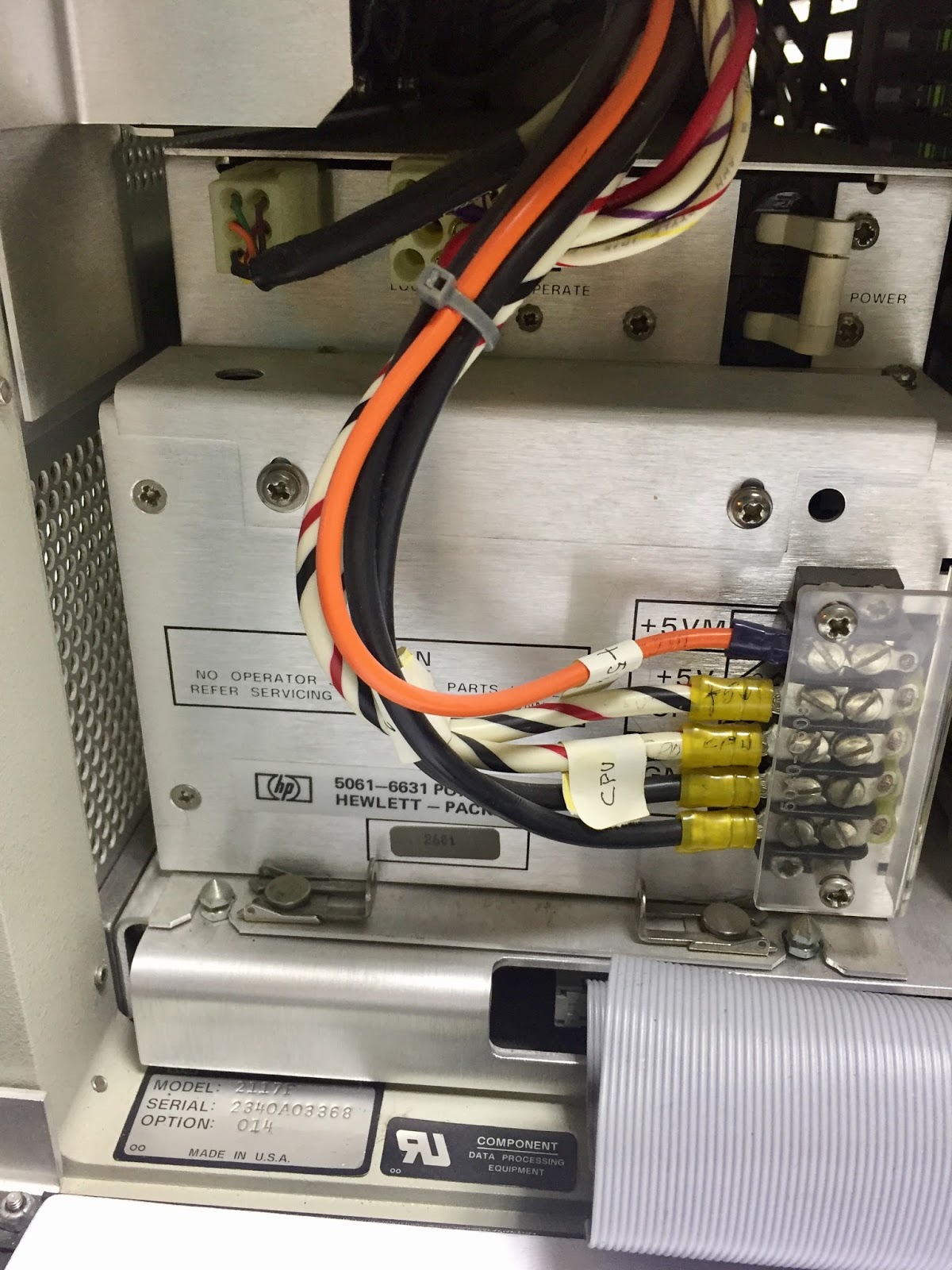
I began with the power supply for the processor. Pictures taken at every step will help me get things back together. A friend with HP systems mentioned that I will need to replace the foam. I didn't see any until I opened the power supply box itself, where I found melting corroding foam.

Foam melting into disgusting goo
Cleaning that will wait for tomorrow, but there is one issue I could confront tonight. This machine has the power fail/restore option, which connects to a battery pack via a cable. No battery pack, but the logic in the power supply checks the thermistor that would be in the battery pack, if it were connected, and refuses to sequence up if the value isn't correct.

The fix is to solder in an 820 ohm resistor across the cable pins, to substitute for the thermistor with its nominal 819 ohms at room temperature. I did that tonight thus once I am ready to power up, the supply should be convinced it has a good battery connected.

The machine is well configured. It has 256KW of fast memory and several peripheral controllers including one for the 7970 tape drive and one for disk drives that will control my 7906 drive in the rack.

256 Kilowords (512K bytes) of fast memory